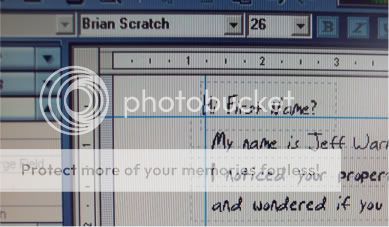
First let me state that there are two different methods for yellow letters, what I call “Mary Lettersâ€, and within in those two there are two ways to print them as well.. By hand or using a font… I have attached an eBook for the run down on how to put fonts in your computer along with how to mail merge your file of names to the letters you print.
We’ll discuss where the name “Mary†came from later. First, I’d like to explain what “Mary†letters are.
Let me reiterate that the purpose of direct mail is to communicate and cause a desired reaction; your mail needs to be read and responded to no later than your last and final mailing. Because of this we must, at times, trick the prospect into opening the direct mail piece. When all else fails in getting your communication opened and read by prospects, my “Mary†letters will do the job. I have developed a very simple process to follow to ensure consistency and response.
Mary Letters are hand written letters to your prospect written on yellow tablet paper. It looks, feels, and reads as though it were sent by a friend. This is the “trick†part of getting the recipient to open the letter and read your message.
I know you’re now thinking “Hand written, that will take foreverâ€.
I have to be extremely honest with you. Real estate investing isn’t an easy, get rich quick scheme, like you hear on the late night infomercials. It is a hard business to master which is why the rewards are so great.
Yes Mary letters take the most amount of time to produce; however, they offer a huge punch to your rate of response. I will show you in a minute how easy they are to actually produce and more importantly how they can be produced effectively so you don’t get burnt out and stop their process.
Here is a sample of a Mary Letter:
Note: There are different Mary Letter depending on your prospect group and how much time you want to put into the task.. If you deside to use a font then it speeds the process up and allows for a better letter. I use a variety of 20 or so letters..
For
FSBO
EXPIREDS
FOR RENTS
FORECLOSURES
ABSENTEE OWNERS
GENERIC
Notice that is simple and sweet… Almost feels like your mom wrote it. These kinds of letters must grab the reader’s attention quickly so that even when they find out you’re not their long lost cousin from Albuquerque, they will continue to read the rest of the message.
Also notice that the telephone number is not the same as the professional letter and that my name is not written on the letter. Again this is one of the tricks in direct mail advertising.
A very important point that must not be overlooked or altered is the fact that everything, from the envelope to the letter itself, must be HANDWRITTEN!
Sure you can use a handwritten font and print them using your computer as long as you don’t care about effectiveness. If you want the highest percentage of response than you must do exactly as I write. Anything less will decrease the rate of return.
I like mailing a series of letters to each prospect for maximum results. I have found that a series of four letters per prospect group has the highest rate of response.
Here is the schedule I like using.
Business Day 2 Letter 1
Business Day 6 Letter 2
Business Day 10 Letter 3
Business Day 14 Letter 4
To produce your Mary Letters effectively and more importantly, economically, there are going to be various supplies needed to accomplish the process.
Supplies you will need:
• 2 8½†x 11†pieces of white paper
• An 8½†x 11†pad of yellow, lined paper
• Black felt tip pen (buy a box)
• Copier (Kinko’s)
• Number 10 white envelopes or ivory invitation envelopes
• Rubber stamp or White labels
• Stick-on First Class postage stamps or Pre-Cancelled
The “Mary†Letter in Detail
So what is a “Mary†letter exactly? It is a handwritten letter in a white envelope. It is very NON-professional looking, something that looks like your Aunt Margaret would mail to another family member.
The letter is signed by a person named “Mary,†so it is important to have handwriting that looks like a female wrote it. So if you need to, utilize the help of a friend or spouse or hire someone to write your letters and envelopes.
Here is an example of what the outside of the envelope looks like:

Figure 3: Example of a “Mary†Letter Envelope. Notice that it is handwritten.
The Envelope
Use a number 10 envelope, one that is thin. You want the yellow lined paper that you’ll be using to write on to show through the envelope.
The Stamp
In the figure above, you can see that there is a real stamp on the envelope, not something from a stamping machine. It’s put on by hand, not part of a pre-stamped envelope. And it is the kind of stamp that Aunt Margaret would buy at the post office. So the idea is to be as non professional as possible, as if it were a personal letter to a friend.
The Addressee’s Address
The envelope is addressed by hand to the addressee. Notice that the address is to a specific person; not to a “Mr. And Mrs.†or “The Spears Family†or “Current Residentâ€.... It is addressed to a single, specific name. If you are unaware of the prospects name use the word “Hi!â€. It won’t have as much impact but will still seem like it is coming from a person they know. The reason for this is because it looks more personal. It will be opened because of this by either the addressee or possibly their jealous mate.
The Return Address
Notice that there isn’t a name above the return address, just the address. You will want a return address so you can take people off your mailing list who have moved. (The Post Office can’t return to you undeliverable pieces without this return address.) You do not want to include your name, as giving that to the addressee will most likely give away the fact that you’re not someone they know (like Aunt Margaret). Therefore, your mail will not be opened.
Another thing to notice is that the return address is not a P.O. Box. It is a physical address.
Using a Rubber Stamp
One more important thing to point out is that the return address is actually a rubber stamp. This is for efficiency, as you don’t want to hand write each and every return address. This is how you can get a stamp made:
STEP 1 – Hand write your return address on white paper:
First realize that if you work on the “Mary†letters yourself or you hire someone to work on your direct mailings, you have to have the same person who writes the “Mary†letters be the same person who addresses the envelopes. And to have the stamp made, that same person will be the one who writes on a piece of white paper (no lines on the paper) your return address (street address, city, state, zip). A pen with black ink should be used.
Note: The same type of pen you used for your letter template should be used to create your rubber stamp and used to write the prospects address. You don’t want to give away the fact that it is a “Junk†mail piece by having different sizes of ink pens.
STEP 2 – Get a Custom Stamp Made:
You then take that piece of paper to your local rubber stamp company and order your stamp. You can find them in the yellow pages under “rubber stampsâ€; call first to confirm their requirements. Many office supply companies such as Staples and Office Depot offer these services. Getting a stamp made will save a lot of time in the future, besides they are only $25.
How to Make Your Mary Letter
The process of making a â€Mary†letter is somewhat simple as long as you follow these next steps:
STEP 1 – Take one sheet of 8½†x 11’ inch white paper and place it on top of your yellow lined paper pad. You will be able to see the lines of the yellow paper beneath the white paper.
STEP 2 – While staying on the lines, write a letter to the type of prospect you want to target. Keep in mind that it needs to be handwritten. Sign the letter as follows:
God Bless,
Mary
Telephone Number
Be sure to leave room for the “greeting†line of the letter.
Also, as I mention before, please do not try to use a handwriting font, as it will be noticed and will spoil your desired result.
STEP 3 – Now take a piece of yellow pad paper and copy your letter using a copier. Not all copiers are going to like the yellow paper, as it is thinner than regular white paper, but it is worth finding the one copier that will, as this will save you hours of manual labor rewriting the same letter over and over.
STEP 4 – Write the addressee’s first name in the salutation. The same person who hand wrote the letter fills out the first name of the person being mailed to in the salutation portion of the letter (for instance, “Dear Sandy,†or “Hello Carl,â€). Use the same type of pen that was used to write the original letter. This way the width of the ink is the same and appears to be written at the same time.
STEP 5 – Address the Envelope. The same person addresses the envelope using the same handwriting and pen.

Figure 4: Example of a “Mary†Letter Envelope.
STEP 6 – Address the return address. Don’t include your name, just your return address. This is what I use the rubber stamp for. If you have one, simply stamp the top left corner of the envelope.
STEP 7 – Place a First Class stamp on the envelope.
STEP 8 – Mail your envelopes on the days your program tells you to. You do not want all four of your Mary letters arriving on the same day.
The idea is to get your letter opened and your message read. A yellow notebook letter in a white, hand-addressed envelope will get read.
Be prepared to receive calls from two types of callers:
• people who want to be taken off your list
• people who want you to buy their house!
Important Note: Make sure that the handwriting is legible and words are spelled correctly. If you mess up and have to scratch something out that is perfectly okay.
What do you do when the telephone rings AND IT WILL?
Inevitably a caller is going to say “Hello, is Mary thereâ€.
Okay, so you must be wondering what happens when you get a call from a “Mary†letter and there isn’t a “Mary†there to speak to your prospect? People could become quite irate unless you handle this correctly. Actually, this is really very simple:
You simply say, “Mary†is my employee. She’s not available right now, how can I help you?â€
Don’t say anything else but ‘your employee.’ Down the road you may introduce your wife or sister to them and you would not want to have them know your relationship started with a magic trick.
Don’t ask them, “Did you get one of our letters?†unless they tell you that they want to call back and talk to Mary.
I know you’re dying to know why I chose “Mary†as the person the letter is written from…
Mary is the most famous female in modern history. For those who have forgotten, she is Jesus’ mother. It isn’t about religion, and your particular faith has little to do with effective marketing, so don’t get caught up with it. But subliminally, most of us accept that name as one of high regard – no matter what you believe.
So here is a recap of the Mary letter:
Handwritten, white envelope addressed to a single person with a regular stamp. The envelope is a cheap one, and they can see the yellow pad paper underneath just begging them to open it.
When folding the paper, don’t fold it outwardly; fold it inward, as you don’t want them to be able to read it from the outside.
The other type… Which I like better…. All steps remain the same with exception of the return address and size of envelope
The Invitation Envelope
Step #1
Take one sheet of 8½†x 11’ inch white paper and place it on top a sheet of yellow lined paper. You should be able to see the lines of the yellow paper beneath the white paper. For best results your Yellow Sheet should be 8 ¼" x 10 ¼" Maximum
Step #2
While staying on the lines, write a letter to the type of prospect you want to mail to. Keep in mind that it should be handwritten. Sign the letter as follows:
God Bless,
Your First Name
Local telephone number
Be sure to leave room for the "address" and “greeting†lines of the letter. Leave room for their name and address. Do not write their name on salutation line.
Step #3
Load yellow lined paper into your copier and copy your "white" letter onto it using a color copier. Copiers are not going to like yellow pad paper that you can buy at an office supply store as it is thinner than normal paper and will jam, which is why I have yellow paper printed for me on 20lb paper stock. Having a printer print yellow pad paper on 20lb paper stock will save you a ton of headaches. Font color should be red.
Step #4
Write the addressee’s first name and last name along with their mailing address in the space left for it. Remember to use their mailing address not the property address.
In the Salutation write their first name only. I write only one first name even it I know both first names of a couple. For a trust or business I use the word "family" in the salutation.
The same person who hand wrote the "white" letter fills in the address and first name of the person being mailed to. Use the same type of pen that was used to write the original letter. This way the width of the ink is the same and appears to be written at the same time. For best results use the same color and type of pen that you used to create the "white" letter. The same person who wrote the "white" letter should be filing in the name and address information.
Step #5
Fold the letter with the address and message out. This way when you are addressing the envelope you know who to address it to. Quarter fold the letter with the message outward. Doing so the message will be slightly viewable by the addressee, causing them to open it more frequently.

Step #6
Address the Envelope. It is best if the same person who created the "white" letter address the envelope however it is not necessary. When addressing the envelope use the same pen you wrote the letter with. The envelope is an invitation envelope and for best results the color should be ivory.
Step #7
Address the return address. For the best results your return address should be placed on the back of the envelope which will save you the step of sealing the envelope. Use a 1" x 2 5/8" white generic label. Avery brand number 5160. On the label use a seasonal or generic art work followed by your first name and return address. Do not include your last name or business name. On the label use a seasonal or generic art work followed by your first name and return address. Do not include your last name or business name.
Step # 8
Place a First Class stamp on the envelope. If you mail more than 200 pieces each time you mail out you can save a tremendous amount of money in postage and still use a pre cancelled wet stamp which is applied to the envelope. Your savings for a wet bulk stamp will be 16 cents to 22 cents per stamp.
Don't place the stamp on the envelope until you everything else is complete. The stamp is the most expensive item and it you mess up the envelope while addressing it you have wasted the stamp.
Then there are the following to concern yourself with…
Prospect groups to mail to
The reinforcement letters
Frequency
Call capture
Your inbound script
Your at the door presentation
On and on and on