Skip to content

Let's keep in touch

Subscribe to our newsletter for timely insights and actionable tips on your real estate journey.

By signing up, you indicate that you agree to the BiggerPockets Terms & Conditions
BPCON2026 Orlando

October 2 - 4 Early Bird tickets are now ON SALE. Purchase your tickets today and save $100!

Get tickets
BPCON2026 Orlando

October 2 - 4 Early Bird tickets are now ON SALE. Purchase your tickets today and save $100!

Get tickets
Followed Discussions Followed Categories Followed People Followed Locations
Starting Out
All Forum Categories
Followed Discussions
Followed Categories
Followed People
Followed Locations
Market News & Data
General Info
Real Estate Strategies
Landlording & Rental Properties
Real Estate Professionals
Financial, Tax, & Legal
Real Estate Classifieds
Reviews & Feedback

Updated 8 months ago on . Most recent reply

User Stats

2,935
Posts
1,527
Votes
Ken M.
  • Specialist
  • Free Spreadsheet - Buying Evaluator
1,527
Votes |
2,935
Posts

New? Try Using "Key Words" To Be Notified of Posts - I Track "Creative" for instance

Ken M.
  • Specialist
  • Free Spreadsheet - Buying Evaluator
Posted

Bigger Pockets gives you the opportunity to track important posts. Or you can just ask me. What's your question?

For instance, I track “Creative”, “CA”, “AZ”, “TX” along with other words. So each time someone posts about those items or places I get a notification.

You can too, and it isn’t difficult to set up

First click on your icon in the upper right hand corner of our screen.

Click on image to enlarge

.

.
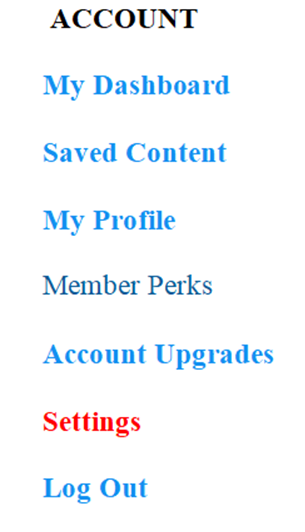
Then click on Settings
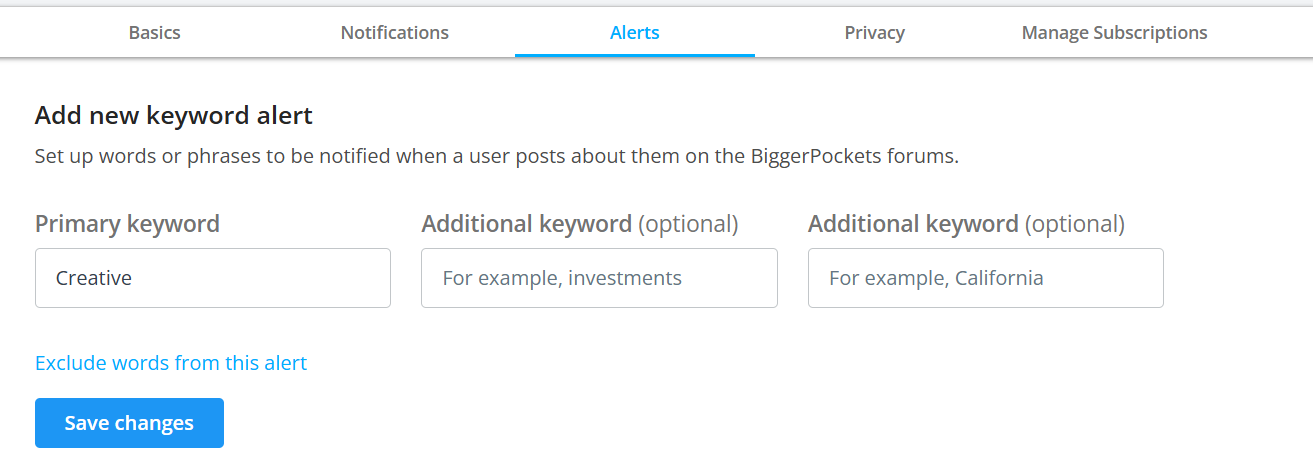
Make sure you SAVE YOUR CHANGES, and you’re done!

Now, you will receive notice anytime someone writes using that keyword.

NEXT > > >

To find your keyword Posts

Go back to the upper right corner and click on the Bell

.

,
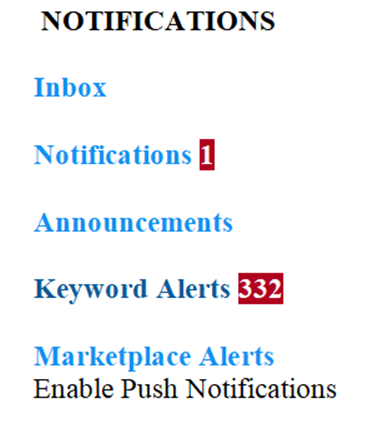
** Click on Keyword Alerts **
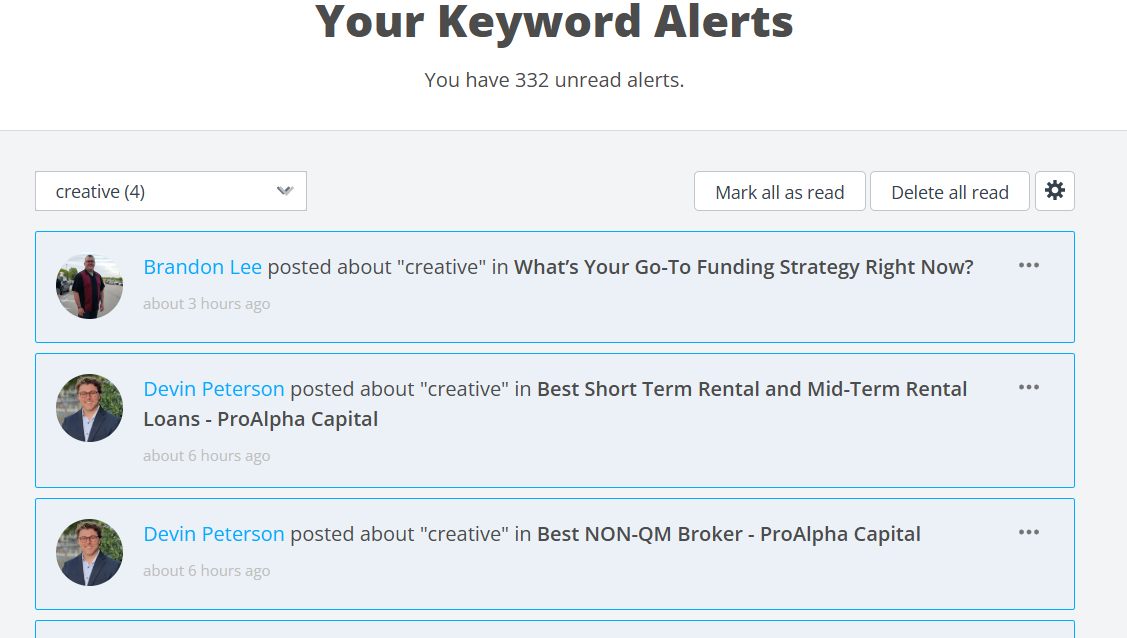
You are now smarter than a rocket scientist.

If you liked this information, leave a like and let me know. :-)

Loading replies...